How to Turn Everyday Local Photos Into Stronger Community Campaigns
Existing photos can support new visual variations, written ideas can become early concepts, and selected images can provide a base for short motion pieces
ELDIGITALDECANARIAS.NET/Madrid
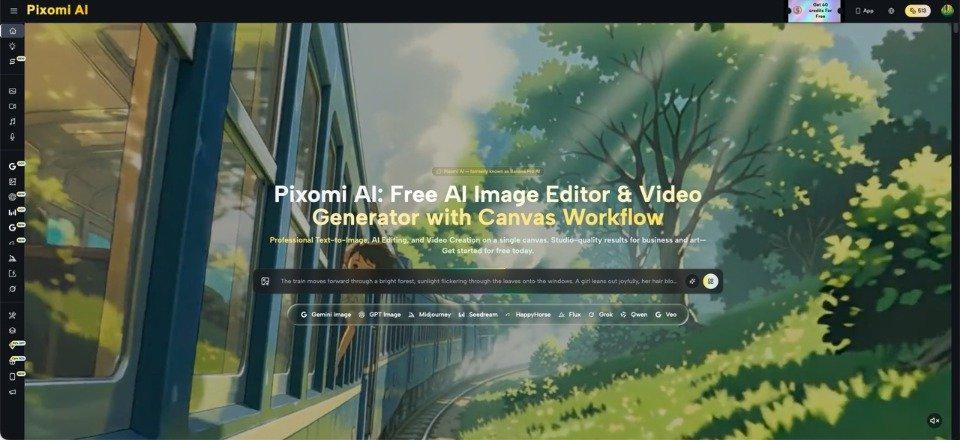
A neighbourhood event, small shop opening, charity drive, or tourism activity may be worth sharing, yet the available photos often look rushed. The organiser may have one phone image, a basic poster, and no time to arrange another shoot. That creates a practical problem: the story is good, but the visuals do not immediately show why people should care. A tool such as Banana Pro AI can help turn a written idea or an existing image into a polished visual starting point. The goal is not to replace real local photography or invent events that never happened. It is to improve presentation, explore creative directions, and prepare supporting visuals for posts, announcements, and short promotional clips. Used carefully, AI generation gives small teams a way to make ordinary source material clearer without pretending that generated imagery is documentary evidence.
Start With the Real Communication Problem
Before opening any visual tool, decide what the audience needs to understand. A weekend market may need an image that shows atmosphere and location. A community workshop may need a simple visual that makes the activity feel welcoming. A local restaurant may need a cleaner version of an existing food photo for a seasonal post.
Write one sentence that states the purpose: “Help families notice the Saturday craft market,” or “Show visitors that this walking route suits beginners.” This keeps the work more focused. It also shows whether the visual should inform, invite, reassure, or simply attract attention. Without that sentence, it is easy to generate attractive images that do not support the actual message.
Also separate factual material from promotional material. Dates, addresses, prices, and safety information should come from verified sources and remain readable. AI-generated visuals may support the message, but they should never alter those details or create a false impression of attendance, facilities, or local conditions.
Choose the Right Starting Method
Different source material calls for a different approach. The most useful choice is usually the simplest one that preserves what already works.
-
Improve a Useful Existing Photo
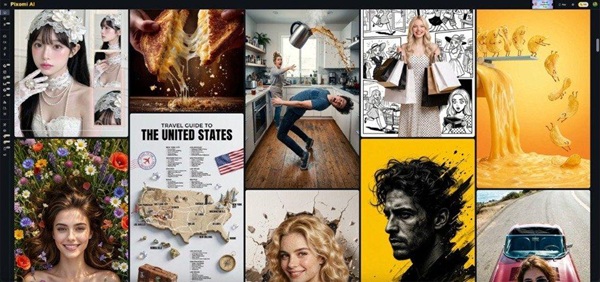
If you already have a clear image of a shopfront, product, venue, or landscape, start from that image rather than rebuilding the scene. An image-to-image process is useful for changing the mood, cleaning a distracting background, exploring a different visual style, or adapting one source for several posts. Keep the requested change narrow. For example, ask for warmer evening light and a cleaner composition while keeping the main building recognisable. A focused instruction is easier to judge than a long prompt containing ten unrelated changes.
-
Create a Concept When No Photo Exists
Text-to-image generation helps when the campaign is still being planned. A local book club might need a friendly reading-themed graphic before its first meeting. A sports group may want a general illustration for registrations. Describe the subject, setting, mood, and intended use. Avoid naming real residents or implying that generated people attended an event. Concept images work best when they are clearly promotional or illustrative rather than presented as news photography. Choose fictional, generic people and avoid details that suggest a documented moment.
-
Add Motion Only When It Helps
A short video can be useful for a social post, event teaser, or digital noticeboard, but motion should serve a purpose. Starting from an approved image can help maintain a clear visual direction while adding simple movement. A gentle camera move across a landscape or a subtle animated detail in an event graphic may be enough. Banana Pro AI publicly presents both text-to-video and image-to-video options, so teams can choose the route that fits the material they already have. Avoid adding dramatic action that changes the meaning of the original scene.
Write Prompts That Protect Local Accuracy
Good prompts describe what should change and what must remain true. For a café photo, you might request a brighter morning atmosphere, cleaner table arrangement, and space for a headline while keeping the storefront, colour scheme, and main product unchanged. For a community illustration, specify that it is a general promotional scene rather than a depiction of a real event.
Use plain language. Mention the main subject first, then the environment, mood, composition, and format. Add limits such as “do not add extra buildings,” “keep the original logo area empty,” or “no readable text inside the image.” Generated text is often less dependable than text added later in a design editor.
After generation, compare the result with the source. Check landmarks, signs, objects, clothing, and cultural details. A polished image is not automatically an accurate one. Local audiences notice small mistakes quickly, especially when they know the place being represented. This review matters most when a scene includes familiar streets, public buildings, or local traditions.
Build One Visual Into Several Practical Assets
A small team gets more value when one approved direction supports different uses. Begin with a main landscape image for a website or community article. Then create a vertical version for stories and a square version for a social post. Instead of merely cropping, adjust the composition so the main subject remains visible in each format.
You can also prepare a sequence: an opening image that establishes the location, a close view that highlights the activity, and a final frame with space for the date or call to action. This sequence may become a carousel or guide a short video.
Set a few simple rules before making variations. Choose one visual mood, one level of realism, and one consistent way to frame the main subject. A tourism post should not suddenly switch from documentary-style photography to a cartoon unless that contrast is intentional. Consistency helps people recognise that several posts belong to the same event or organisation, even when the individual images show different activities.
Keep a record of the source image and prompt used for each version. That makes future updates easier and helps another team member understand what is real, what was edited, and what was generated. Reuse should reduce work, not create confusion about the origin of the material.
Review the Result Before Publishing
Use a short review routine. First, check whether the visual matches the intended message. Second, inspect factual details and anything that looks like readable text. Third, look for visual errors such as distorted hands, duplicated objects, impossible shadows, or altered architecture. Fourth, confirm that you have permission to use the source image and that no private person appears without appropriate consent.
Then ask someone unfamiliar with the project to view the image for five seconds. What do they think the event, business, or activity is about? If their answer is wrong, the visual may be attractive but ineffective.
Create a short checklist and use it every time, even for a quick social post. A repeatable check is easier than correcting confusion after publication.
Finally, label illustrative or AI-generated material when the context could otherwise mislead readers. This is especially important for news-like posts, proposed developments, public spaces, and community events. Clear presentation builds more trust than a visually impressive image with an uncertain status.
Conclusion
Local organisations rarely lack stories. They usually lack time, specialised design help, or a complete set of polished source images. A practical AI-assisted approach starts with the communication goal, preserves real details, and uses generation only where it adds clarity. Existing photos can support new visual variations, written ideas can become early concepts, and selected images can provide a base for short motion pieces. The strongest results still depend on human judgement: choosing an honest direction, checking every detail, and presenting generated material in the right context. Start with one upcoming event or community announcement, create only the formats you genuinely need, and review the result with the same care you would give the written story before it goes live.