Where AI Visual Tools Fit Into Everyday Local Marketing
Small businesses are expected to produce far more visual content than they used to
ELDIGITALDECAARIAS.NET/London
A restaurant may need fresh images for social media, a local shop may want seasonal product graphics, and a service business has to keep its website, ads, and business profiles looking current. The challenge is usually not understanding that visuals matter. It is finding the time and budget to create them consistently.
This is where generative image tools can be genuinely useful. They reduce the amount of work between having an idea and getting something you can actually use. Instead of rebuilding an image in a traditional editor, a business owner can start with an existing photo, describe the change, and see a new version. If there is no suitable source image, a prompt can provide a starting point instead.
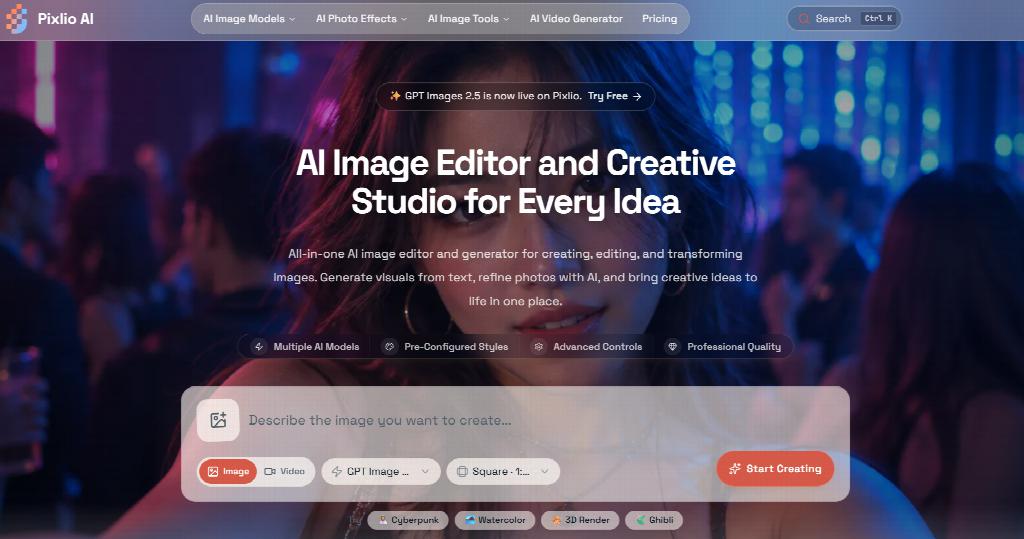
Pixlio supports both approaches. Its AI image editor is designed around an existing image: upload a reference, describe the change, choose a suitable model, generate, and refine the result if necessary. Text-to-image generation is available in the same workspace, so users can also create a source image without moving to a separate tool.
That flexibility fits many ordinary marketing tasks. A café might have a good photo of a drink but want a cleaner or more seasonal background. A retailer could reuse a basic product shot in several campaign settings. A local business preparing a promotion might test a few visual directions before spending time on the final version.
For projects that begin with an idea rather than a photo, Pixlio's AI image generator works in the opposite direction. Users describe the image they want, select a model, and adjust supported options such as style, dimensions, resolution, or quality. This can be useful for social graphics, blog illustrations, campaign concepts, promotional backgrounds, and other visuals where arranging a dedicated photo shoot would be unnecessary.
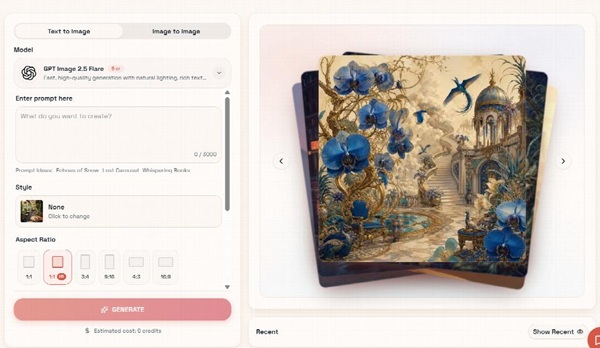
One practical part of Pixlio is what happens after an image has been generated. The result is not treated as the end of the process. Quick actions beside the image let users take it back into editing or carry it directly into tools for upscaling, background removal, canvas extension, or video creation. There is no need to repeatedly download an image, locate it on the device, and upload it again just to continue working with it.
Pixlio also functions as a broader AI image creative platform, with focused tools for tasks that do not always need a general-purpose editor. AI Outpainting can extend a scene when an image needs to fit a wider banner or a different social format. Background Remover creates a clean cutout for product graphics or promotional layouts. AI Professional Headshot offers a more specific route for people who want to turn an existing portrait into a polished business-style image.
These case-based tools can be useful because the starting point is already clear. Someone who simply needs more space around an image should not have to figure out the right combination of prompts and settings in a general editor. The tool can guide that particular job while still leaving room for further editing afterward.
For local businesses, generative AI probably works best as a complement to real photography rather than a replacement for it. Photos of actual staff, products, locations, and customers carry information that matters. AI is more useful for adapting those assets, cleaning them up, preparing alternate formats, creating supporting graphics, or exploring an idea before committing more resources to it.
That balance also makes the final content feel more grounded. The business keeps the visual material that is genuinely its own and uses AI where production would otherwise be slow, repetitive, or expensive. For a small team that has to publish regularly without a dedicated design department, that can be a practical way to keep visual marketing moving.